

Group management
Edit, update, and manage supporter groups after creation
The Build and populate your first group tutorial covers creating a supporter group. This guide explains how to manage groups after creation, including editing their setup, updating membership rules, and assigning leaders.
Editing supporter groups
Admin only
Only admins can edit supporter groups.
When you open a supporter group (via Supporter groups > [Group Name]), you will see three editing options in the menu:
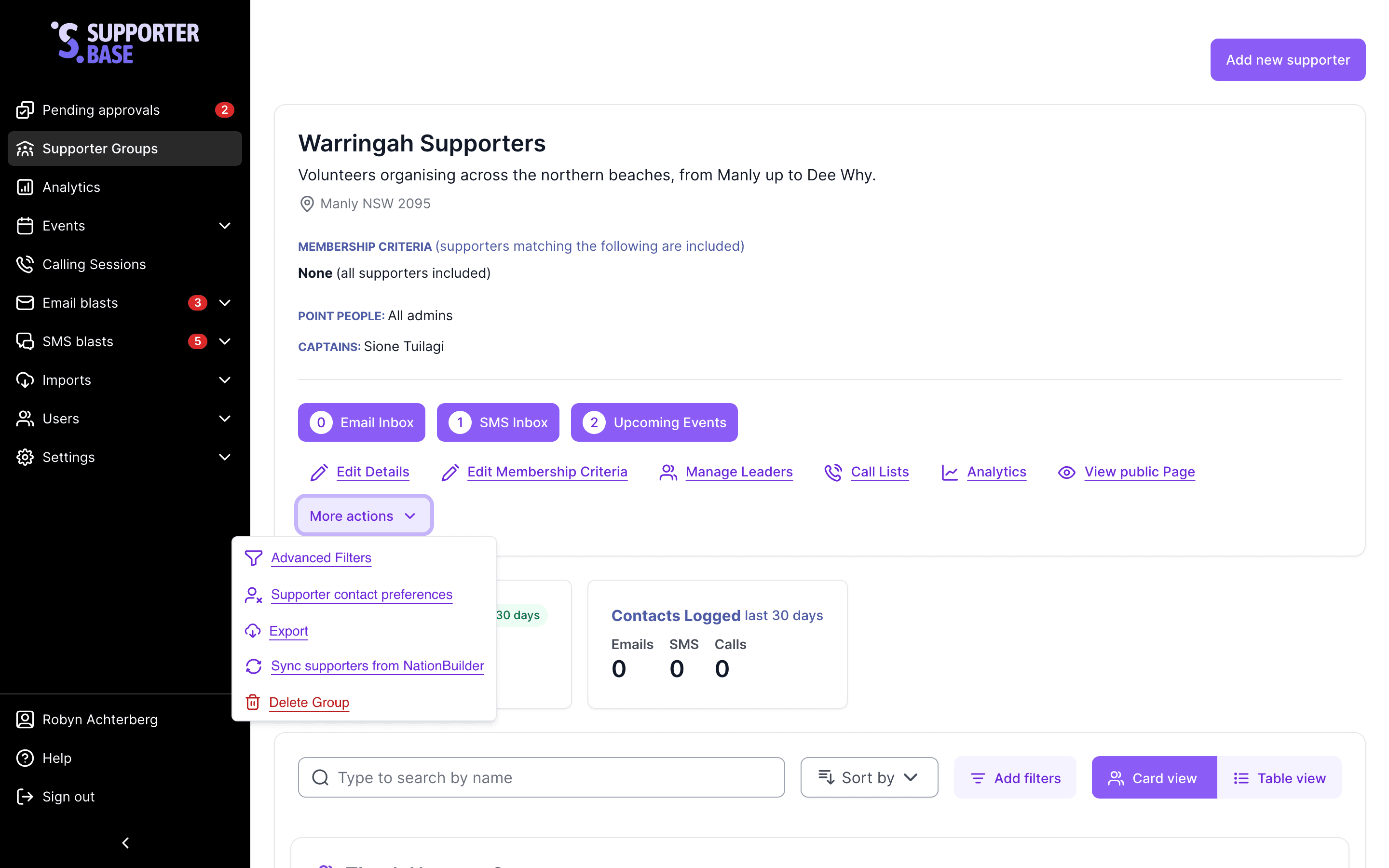
1. Edit details
Update the basic identity and visibility of the group. You can:
- Change the group name.
- Add or update the internal description.
- Set the public page status to Published, Unlisted or Hidden. Unlisted keeps the page reachable by direct link but out of search results and navigation.
- Edit the public content for the group page.
- Assign or update the point people (who receive approval notifications).
When to use: if the group's focus shifts, or you need to update who is responsible for overseeing it.
2. Edit membership criteria
Adjust the rules that control who belongs to the group. You can:
- Adjust the inclusion tags (who gets added).
- Adjust the exclusion tags (who gets filtered out).
- Update the postcode criteria for geographically-based groups.
When to use: if you want to refine who is automatically included in the group. For example, narrowing a geographic radius or excluding people already tagged for another program.
3. Manage leaders
Control who leads the group. You can:
- Add or remove captains.
- Add or remove vice-captains.
When to use: when leadership changes hands or when you are developing new leaders by assigning vice-captain roles.
Deleting supporter groups
Admin only, irreversible
Only admins can delete a supporter group. This action cannot be reversed.
- Navigate to Supporter groups > [Group Name]. On the group's profile page, click More actions > Delete.
- Confirm you want to delete the entire group.